
Ford Mustang (2005-2014) Owners Manual: Instrument lighting dimmer
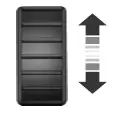
• Move the control up or down to
adjust the intensity of the panel
lighting.
• Move the control to the full
upright position, past detent,
to turn on the interior lamps.
• Move the control down, past
detent, to turn off the interior
lights.
Note: The panel dimmer control works only in nighttime illumination mode. It has no effect in daytime illumination mode. Also, selectable features, such as gauge color and halo color, will not be available in daytime illumination mode.
Note: If the battery is disconnected, discharged, or a new battery is installed, the dimmer switch requires re-calibration. Rotate the dimmer switch from the full dim position to the full dome On position to reset.
This will ensure that your displays are visible under all lighting conditions.
 Autolamps
WARNING: In severe weather conditions, it may be necessary to
switch your headlamps on manually.
Note: If the vehicle is equipped with autolamps, it will have the
windshield wiper rainlamp feature. Wh ...
 Headlamp exit delay
You can set the delay time to keep the headlamps on for up to three
minutes after the ignition is turned off.
Follow the steps below to change the delay time (Steps 1 through 6
must be done within 10 ...
Other materials:
Component Tests
Idle Air Control (IAC) Valve
1. Open the hood.
2. NOTE: Key symptom is elevated idle speed while noise is occurring.
NOTE: "Snapping" the throttle can induce the noise.
Verify the condition by operating the vehicle for a short time.
3. Inspect the IAC valv ...
Assembly
1. CAUTION: Before beginning assembly, carry out and inspect the
following:
When building up subassemblies and assembling the transmission, ALWAYS use new
gaskets and seals.
All fasteners must be tightened to the torque specification indicated. In
addition ...
Trunk release
The remote trunk release button is
located on the center console. Press
the button to unlatch the trunk.
Interior Trunk Control Lockout (Convertible Vehicles Only)
This feature disables the interior trunk control. It helps prevent
unauthorized access to the t ...
