
Ford Mustang (1999-2004) Service Manual: Muffler - 3.8L
Removal and Installation
1. Raise and support the vehicle. For additional information, refer to Section.
2. Support the rear axle with a suitable jack.
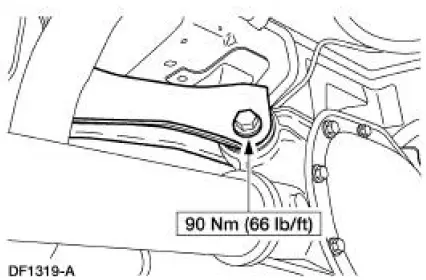
3. Remove the upper arm-to-differential bolt.
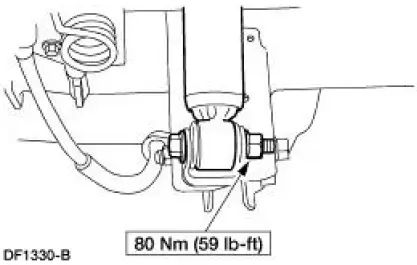
4. Remove the nut and bolt and disconnect the rear shock absorbers (18124) from the axle housing.
- Discard the nut.
5. Lower the rear axle.
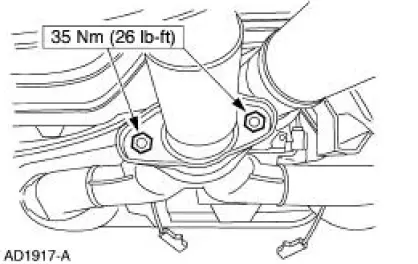
6. Remove the dual converter assembly flange nuts.
7. Remove the exhaust pipe assembly (5232) from the rear exhaust hanger insulator (5260).
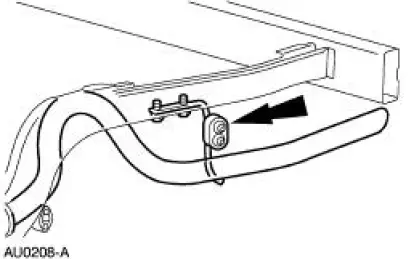
8. Remove the exhaust hanger insulators.
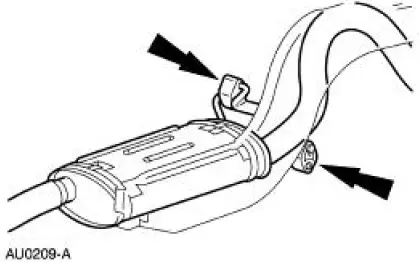
9. Remove the muffler (5230).
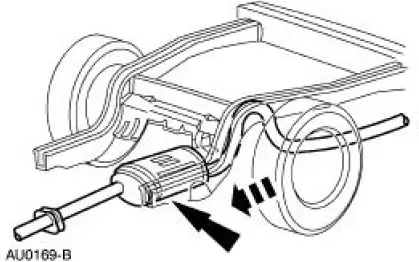
10. CAUTION: Do not use oil or grease-based lubricants on insulators as they deteriorate the rubber.
NOTE: A soap-and-water solution will ease installation of the exhaust hanger insulators.
To install, reverse the removal procedure.
 Exhaust System (Diagnosis and Testing)
Symptom Chart
Condition
Possible Sources
Action
Noisy or
leaking
exhaust
Broken or loose
clamps, hangers or
isolators.
Punctures in the muffler
( ...
 Muffler - 4.6L (2V)
Removal and Installation
1. Use a jack to support and lower the rear axle.
2. Remove the upper arm-to-differential bolt.
3. Remove the nut and bolt, and disconnect the rear shock absorbers (18124) ...
Other materials:
Differential Case and Ring Gear - Traction-Lok
Special Tool(s)
2-Jaw Puller
205-D072 (D97L-4221-A) or
equivalent
Gauge, Differential Clutch
205-022 (T66L-4204-A)
Gauge, Differential Clutch
205-135 (T80P-4946-A)
Installer, Differential Side
Bearing
205-010 (T57 ...
Tracing Powder
Tracing powder is used to check both the uniformity of contact and the
tension of a seal against its
sealing surface. These tests are usually done when a suspected air leak/noise
appears to originate
from the seal area or during the alignment and adjustment ...
Safety Precautions
WARNING: Never run the engine with one wheel off the ground, for
example, when
changing a tire. The wheel(s) resting on the ground could cause the vehicle to
move.
WARNING: The tire and wheel must always be correctly matched. It is very
important to
determ ...
