
Ford Mustang (1999-2004) Service Manual: Sprockets
1. WARNING: To avoid the possibility of personal injury or damage to the vehicle, do not operate the engine with the hood open until the fan blade has been examined for possible cracks and separation.
NOTE: Specifications show the expected minimum or maximum condition. Refer to the appropriate section in Group 303 for the procedure.
NOTE: If a component fails to meet the specifications, it is necessary to install a new component or refinish. If the component can be refinished, wear limits are provided as an aid to making a decision. A new component must be installed for any component that fails to meet specifications and cannot be refinished.
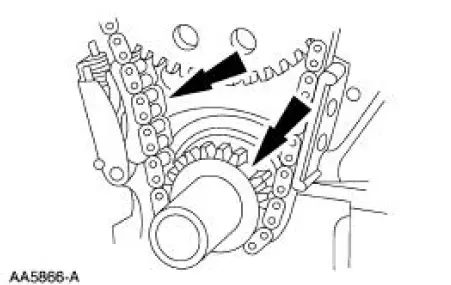
Inspect the timing chain/belt and the sprockets.
- Install new components as necessary. Refer to the appropriate section in Group 303 for the procedure.
Rocker Arms - Cleaning
1. Clean all parts thoroughly. Make sure all oil passages are open.
2. Make sure oil passage in the push rod/valve tappet end of the rocker arm (6564) is open.
 Component Tests
Engine Oil Leaks
NOTE: When diagnosing engine oil leaks, the source and location of
the leak must be positively
identified prior to repair.
Prior to carrying out this procedure, clean all sealin ...
 Rocker Arms - Inspection
CAUTION: Do not attempt to true surfaces by grinding. Check the
rocker arm pad, side
rails and seat for excessive wear, cracks, nicks or burrs. Check the rocker
arm seat bolt for
stripped or bro ...
Other materials:
Battery (Removal and Installation)
Removal and Installation
WARNING: Batteries normally produce explosive gases which can
cause personal injury.
Therefore, do not allow flames, sparks or lighted substances to come
near the battery. When
charging or working near a battery, always sh ...
Assembly
1. Install the valve stem seals.
2. Install the valves and the valve springs.
3. CAUTION: Make sure the tool is seated correctly on the valve spring.
Apply a small
amount of air at a time. This will prevent the tool from shifting and causing
damage to
the ...
Tracer Dye Leak Detection
Special Tool(s)
120 Watt 110 Volt UV Lamp
20C
164-R0721 or equivalent
NOTE: Ford Motor Company vehicles are produced with a permanent leak
tracer dye incorporated into
the A/C system. The location of leaks can be pinpointed by the bright
ye ...
