
Ford Mustang (1999-2004) Service Manual: Installation
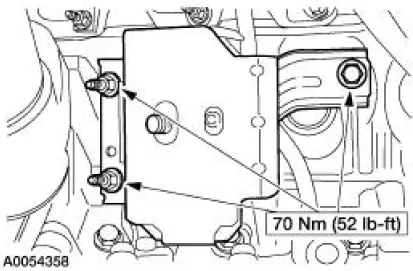
LH mount
1. Position the engine mount and install the bolt and studbolts.
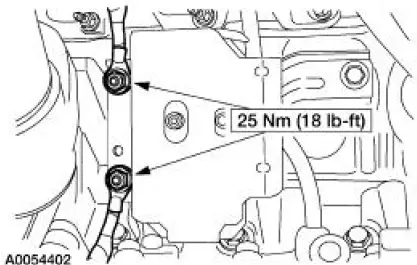
2. Attach the ground cables and install the nuts.
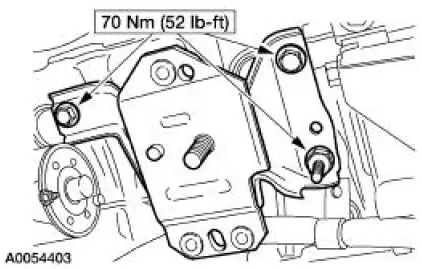
RH mount
3. Position the engine mount and install the bolts and studbolt.
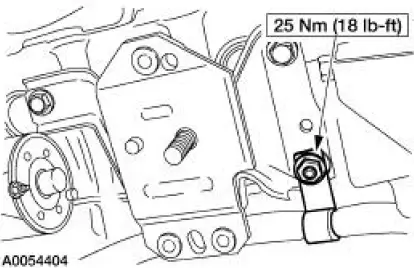
4. Attach the wiring harness and install the nut.
Both mounts
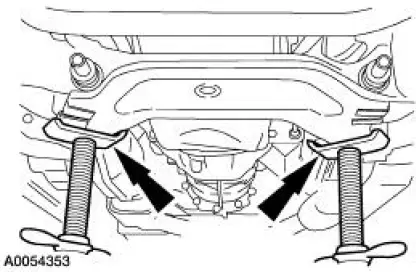
5. Using the jackstands, raise the subframe into position.
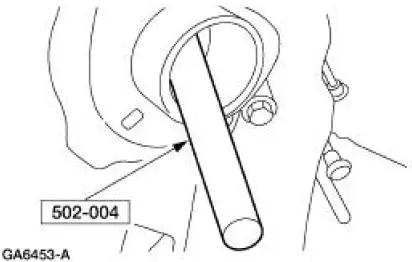
6. NOTE: RH shown, LH similar.
Using the special tool, align the subframe.
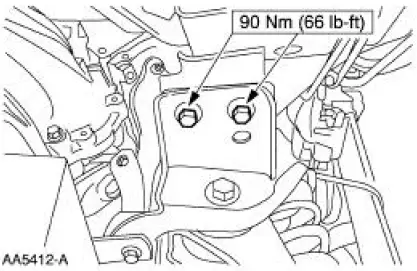
7. NOTE: RH shown, LH similar.
Install the four bolts.
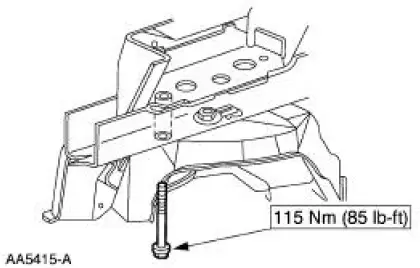
8. NOTE: RH shown, LH similar.
Install the four bolts.
9. Remove the jackstands.
10. NOTE: RH shown, LH similar.
Install the two engine mount nuts.
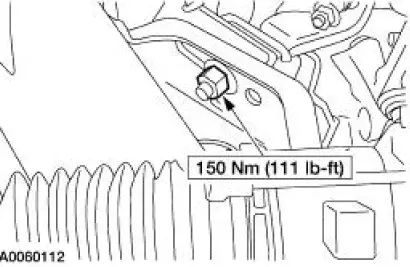
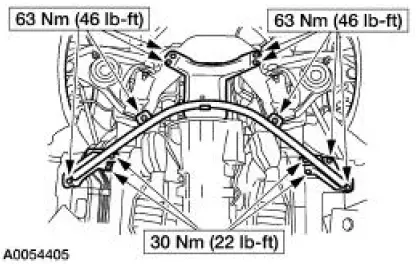
11. Position the cross-brace support and install the 13 bolts.
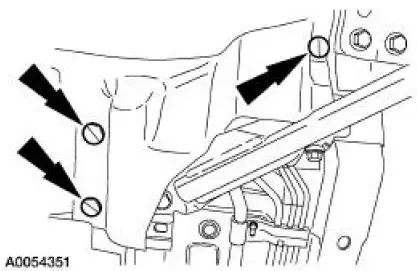
12. NOTE: RH shown, LH similar Install the six splash-shield pushpins.
13. Install the front springs. For additional information, refer to Section.
14. Remove the special tool.
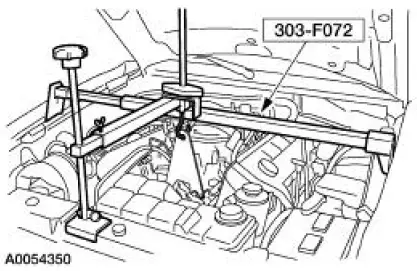
15. Remove the special tool.
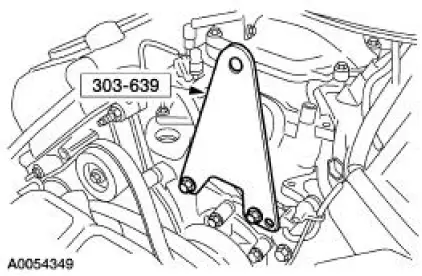
16. Position the generator and install the bolts.
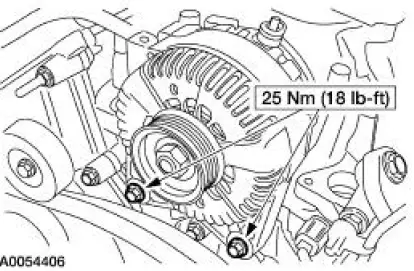
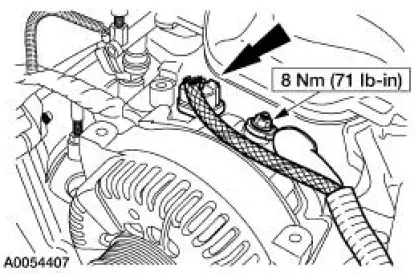
17. Connect the generator electrical connections.
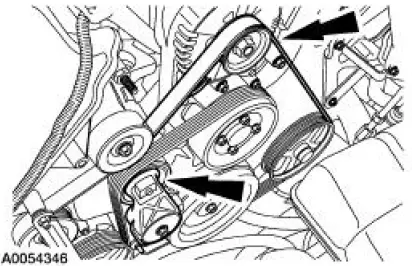
18. Rotate the drive belt tensioner clockwise and attach the drive belt to the generator pulley.
- Make sure the drive belt is routed correctly and is aligned correctly installed on each pulley.
19. Connect the battery ground cable. For additional information, refer to Section.
20. Install the coolant bypass tube. For additional information, refer to Section.
 Removal
Both mounts
1. Disconnect the battery ground cable. For additional information, refer to
Section.
2. Remove the coolant bypass tube. For additional information, refer to Section.
3. Rotate the driv ...
 Engine (Removal)
Special Tool(s)
Lifting Bracket, Engine
303-D087 (D93P-6001-A1)
Lifting Bracket, Engine
303-D088 (D93P-6001-A2)
Spreader Bar
303-D089 (D93P-6001-A3)
Rem ...
Other materials:
Information messages
Note: Depending on the vehicle options equipped with your vehicle, not
all of the messages will display or be available. Certain messages may be
abbreviated or shortened depending upon which cluster type you have.
Press the RESET button for Type 1 displays or ...
Pinpoint Test P: No Communication With The Restraints Control Module
Normal Operation
The RCM communicates with the scan tool using ISO 9141 communication mode
through the data link
connector (DLC).
Possible Causes
A no communication condition can be caused by:
damage to circuit 70 (LB/WH).
a damaged DLC.
a damage ...
Installation
1. NOTE: If the oil pan is not secured within four minutes, the
sealant must be removed and the
sealing area cleaned with metal surface cleaner. Allow to dry until there is
no sign of wetness,
or four minutes, whichever is longer. Failure to follow this ...
