
Ford Mustang (1999-2004) Service Manual: Parking Brake Control
Removal
1. CAUTION: If any component in the parking brake system requires repair or if the rear axle housing (4010) is removed, the cable tension must be released.
Place the parking brake control (2780) in the released position.
2. Remove the console.
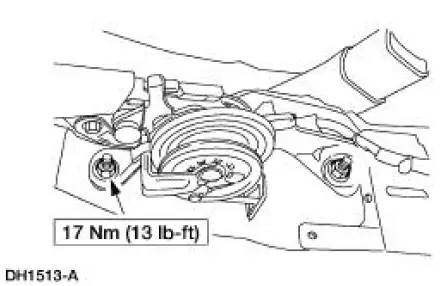
3. Remove the parking brake control studs.
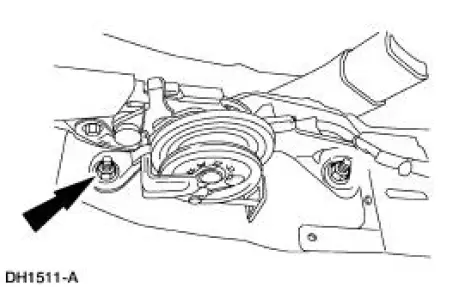
4. NOTE: Self adjust pawl must be off to allow wind up.
Place the control handle in the fully downward position, then pull the control handle forward to wind-up the self-adjusting mechanism.
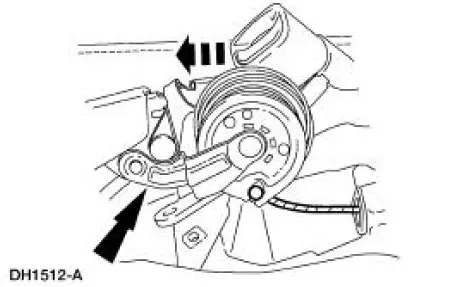
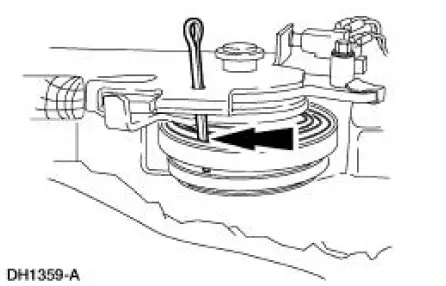
5. Insert a steel pin through hole in the lever to the ratchet wheel, then carefully release the spring tension onto the pin.
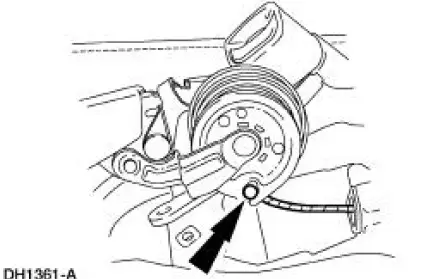
6. NOTE: Keep tension on the cable so cable end does not fall out of equalizer.
Disconnect the parking brake cable.
Installation
1. NOTE: Make sure cable ends are attached to the equalizer.
Follow the removal procedure in reverse order.
 Parking Brake Cable Tension Release
1. CAUTION: If any component in the parking brake system requires
repair or if the
rear axle housing (4010) is removed, the cable tension must be released.
Place the parking brake control (2780) ...
 Cable and Conduit - Front
Removal
1. CAUTION: If any component in the parking brake system requires
repair or if the
rear axle housing (4010) is removed, the cable tension must be released.
Release the cable tension. For ...
Other materials:
Rear Drive Axle/Differential - Ford 8.8-Inch Ring Gear
General Specifications
Torque Specifications
Description
Nm
lb-ft
lb-in
Bolt retaining the differential pinion shaft to the
differential case
30
22
-
Bolt retaining the driveshaft yoke to the pinion flange
112
83
-
...
Pressure Plate Check
1. Check the clutch pressure plate surface for scoring, cracks or
discoloration. Minor scratches or
discoloration should be removed with a fine emery cloth.
2. Measure the flatness of the clutch pressure plate surface with a
straightedge and a feeler
g ...
Halfshaft Joint
Special Tool(s)
Driver
205-199 (T83T-3132-A1)
Hub Bearing Cup Replacer
205-147 (T80T-4000-P)
Sensing Ring Replacer
206-041 (T89P-20202-A)
Disassembly
1. CAUTION: Do not disassemble the halfshaft assembly. Install a new
assem ...
