
Ford Mustang (1999-2004) Service Manual: Sensor - Rear
Removal
1. Remove the rear passenger seat.
2. Disconnect the rear anti-lock brake sensor electrical connector.
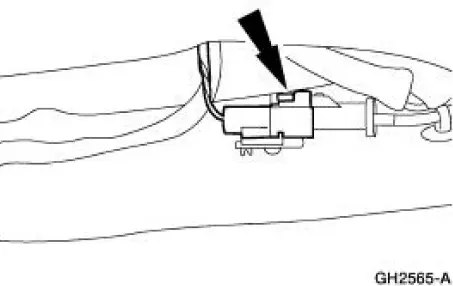
3. Raise and support the vehicle. 4. Remove the rear anti-lock brake sensor harness from the floor pan.
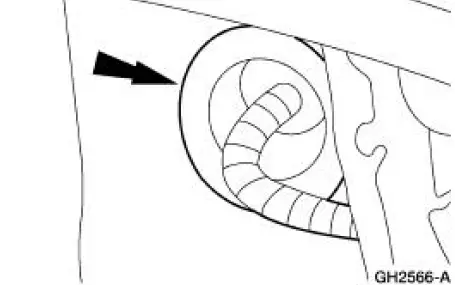
5. Remove the anti-lock brake sensor harness bracket bolt.
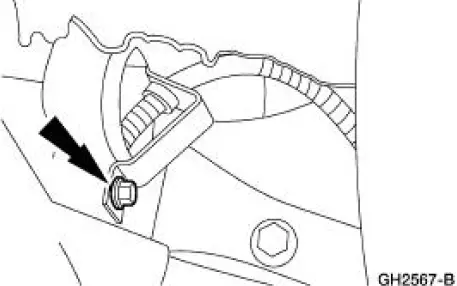
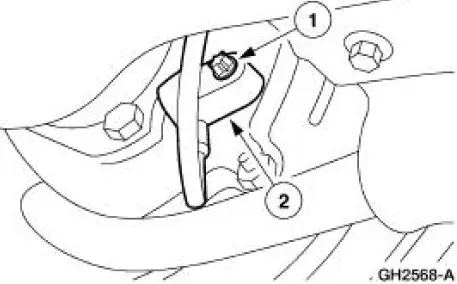
6. NOTE: The sensor may be siezed to the axle. Use Rust Penetrant and Inhibitor F2AZ-19A501- A meeting Ford specification ESR-M99C56-A to loosen the sensor for removal.
Remove the rear anti-lock brake sensor.
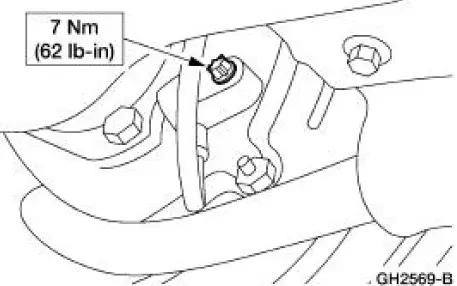
1. Remove the rear anti-lock brake sensor bolt.
2. Remove the rear anti-lock brake sensor.
Installation
1. NOTE: Be sure to apply High Temperature Nickel Anti-Sieze Lubricant F6AZ-9L494-AA meeting Ford specification ESE-M124A-A to the sensor body where it will make contact when installed.
To install, reverse the removal procedure.
 Switch - Traction Control
Removal and Installation
1. NOTE: If the vehicle is equipped with an automatic
transmission, position the shift lever in the 1
position before detaching the floor console finish panel.
Lifti ...
Other materials:
Changing the wiper blades
1. Pull the wiper blade and arm away
from the glass.
2. Squeeze the locking tabs to release
the blade from the arm and pull the
blade away from the arm to remove it.
3. Attach the new blade to the arm
and snap it into place.
Replace wiper blades at least onc ...
Inspection and Verification
1. Verify the customer's concern by operating the active restraint system to
duplicate the condition.
2. Inspect to determine if any of the following mechanical or electrical
concerns apply:
Visual Inspection Chart
Mechanical
Electrical
...
Subwoofer Speaker - Coupe
Removal and Installation
1. Remove the package tray trim panel. For additional information,
refer to Section .
2. Disconnect the two subwoofer assembly amplifier electrical
connectors.
3. NOTE: Do not let the subwoofer assembly fall into the lugga ...
