
Ford Mustang (1999-2004) Service Manual: Stabilizer Bar
Removal
CAUTION: Suspension fasteners are critical parts because they affect performance of vital components and systems and their failure can result in major service expense. A new part with the same part number must be installed if installation becomes necessary. If substitution is necessary, the part must be of the same finish and property class. Torque values must be used as specified during reassembly to make sure of correct retention of these parts.
1. Raise the vehicle.
2. Disconnect the anti-lock brake sensor wires from the brackets.
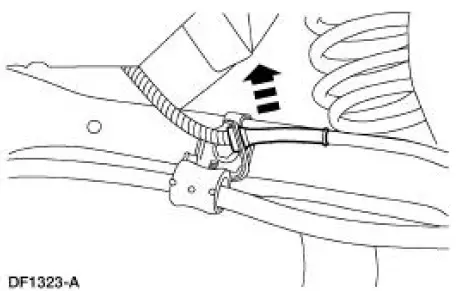
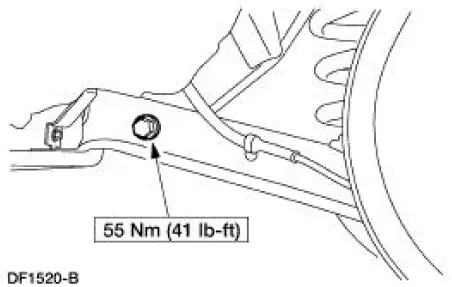
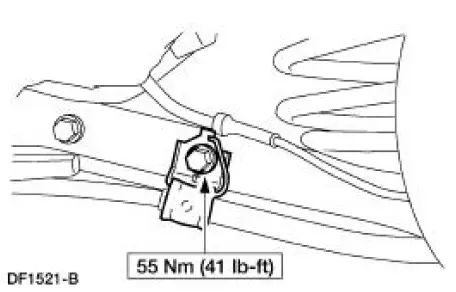
3. Remove the parking brake cable brackets.
1. Remove and discard the bolts.
2. Remove the parking brake cable brackets.
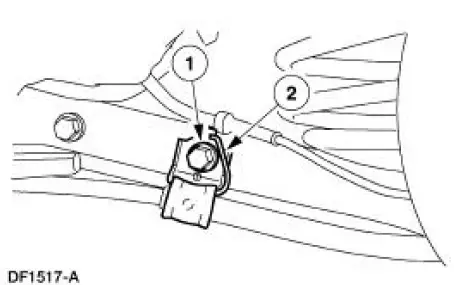
4. Remove the bolts and the stabilizer bar (5A772). Discard the bolts.
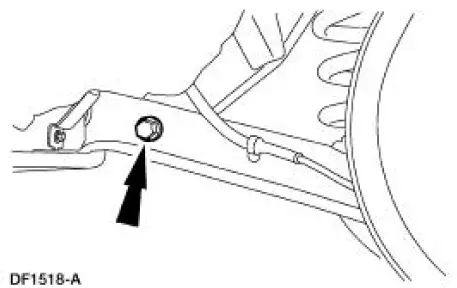
5. Remove and discard the nuts from the stabilizer bar.
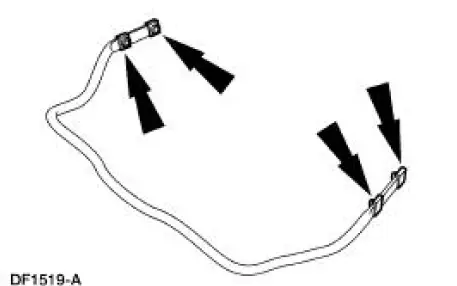
Installation
NOTE: Make sure the rear stabilizer bar is not installed upside down. A color code is provided on the right (passenger) side only as an aid for correct positioning.
NOTE: Use new fasteners when installing the stabilizer bar.
1. To install, reverse the removal procedure.
 Lower Arm
Removal
CAUTION: Suspension fasteners are critical parts because they affect
performance of vital
components and systems and their failure can result in major service expense. A
new part with
the sa ...
 Stabilizer Bar - Cobra
Removal
CAUTION: Suspension fasteners are critical parts because they affect
performance of vital
components and systems and their failure can result in major service expense. A
new part with
the sa ...
Other materials:
Pinpoint Test E: LFC 15/DTC B1916 - Driver Air Bag Circuit Shorted to
Battery or Ignition
Normal Operation
The restraints control module (RCM) checks for driver air bag circuit
shorts to battery or ignition by
monitoring the voltage of circuit 614 (GY/OG) and 615 (GY/WH) at pins 3 and
4. If the RCM detects a
short to battery or ignition on e ...
Removal
1. Disconnect the battery ground cable (14301).
2. Remove the air cleaner outlet tube (9B659).
3. Remove the radiator sight shield (8C291).
4. Remove the coolant recovery reservoir (8A080).
1. Disconnect the hose.
2. Remove the bolts.
3. Remo ...
Evaporative Emission Canister
Removal and Installation
1. WARNING: The evaporative emission system contains fuel vapor
and condensed
fuel vapor. Although not in large quantities, it still presents the
danger of explosion or
fire. Disconnect the battery ground cable from the bat ...
