
Ford Mustang (1999-2004) Service Manual: Cable and Bracket
Removal
1. Raise the vehicle on a hoist. For additional information, refer to Section.
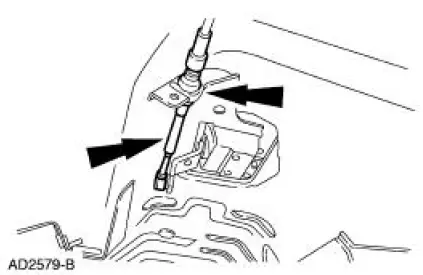
2. Remove the cable shift from the shifter lever and bracket and discard the clip.
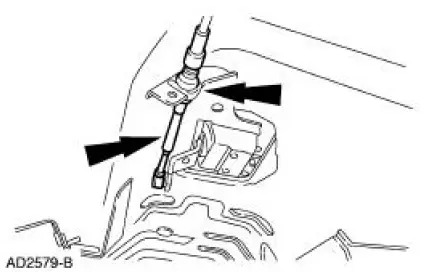
3. Remove the bolt from the cable.
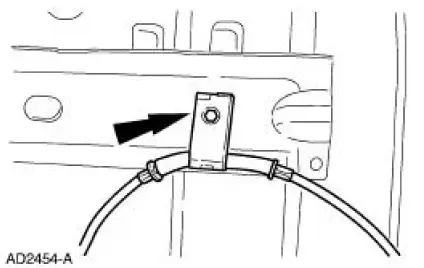
4. Remove the bolt from the cable.
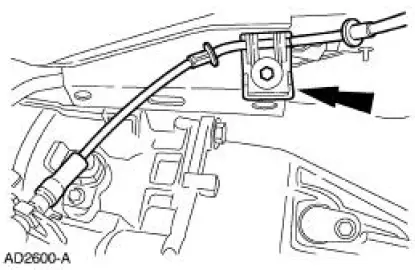
5. Disconnect the transmission range selector lever cable from the TR sensor lever.
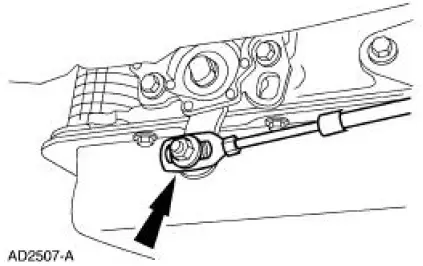
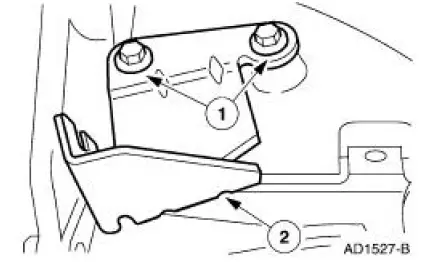
6. Remove the transmission shift cable bracket (7B229) from the transmission.
1. Remove the bolts.
2. Remove the bracket.
Installation
1. NOTE: It is necessary to install a new plastic clip prior to installation.
To install, reverse the removal procedure.
 Brake Shift Interlock Actuator
Removal
1. Remove the shifter top control panel.
2. Disconnect the electrical connectors.
3. Remove the shifter bezel.
4. Remove the bulb from the bezel.
5. Disconnect the electrical connect ...
 Selector Lever
Removal
1. Remove the shifter top control panel.
2. Disconnect the electrical connectors.
3. Remove the shifter bezel.
4. Remove the bulb from the bezel.
5. Disconnect the TCS connector.
6 ...
Other materials:
Stabilizer Bar
Removal
CAUTION: Suspension fasteners are critical parts because they affect
performance of vital
components and systems and their failure can result in major service expense. A
new part with
the same part number must be installed if installation becomes nec ...
Gearshift Rail Bushing
Special Tool(s)
Universal Puller Set
303-DS005 (D80L-100-A) or
equivalent
Installer, Shift Rail Bushing
308-244 (T96P-7025-F)
Slide Hammer
100-001 (T50T-100-A)
Disassembly and Assembly
1. Using the special tools, r ...
Forward Clutch Cylinder
Special Tool(s)
Dial Indicator Gauge with
Holding Fixture
100-002 (TOOL-4201-C) or
equivalent
Compressor, Clutch Spring
307-096 (T81P-70235-A)
Protector, Transmission
Forward Clutch Outer Fluid
Seal
307-423
M ...
