
Ford Mustang (1999-2004) Service Manual: Selector Lever
Removal
1. Remove the shifter top control panel.
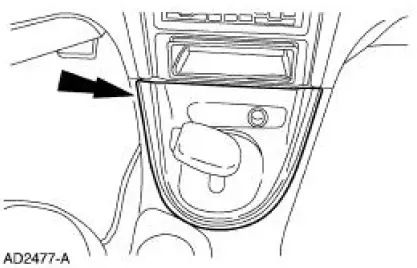
2. Disconnect the electrical connectors.
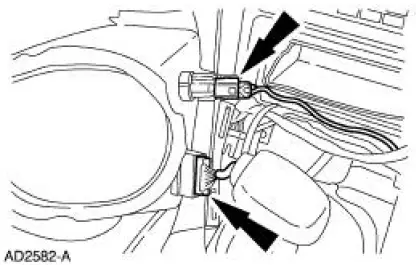
3. Remove the shifter bezel.
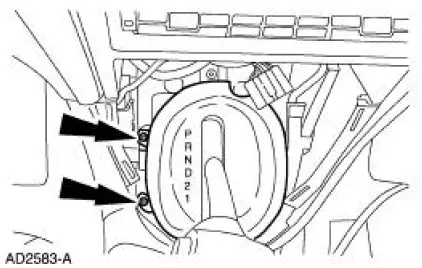
4. Remove the bulb from the bezel.
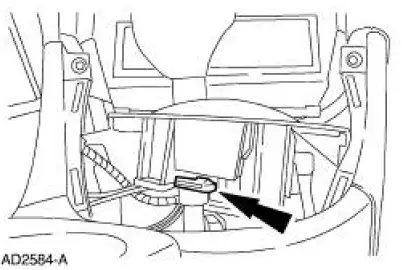
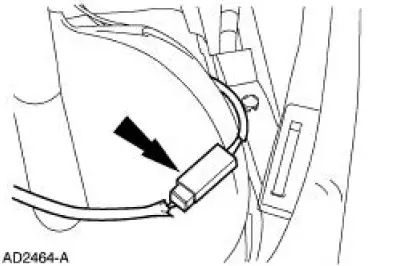
5. Disconnect the TCS connector.
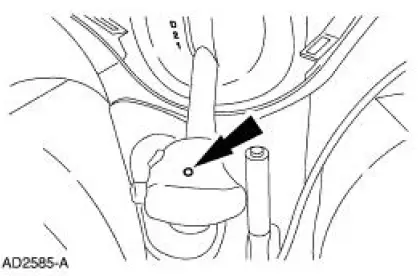
6. CAUTION: Extra force may be needed to lift up on the handle. Do not to pull too far or damage to the overdrive cancel button may result, as the wires may be pulled out of the switch.
Remove the screw and the handle.
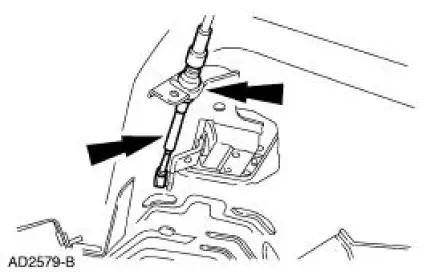
7. Raise and support the vehicle. For additional information, refer to Section.
8. Disconnect the shift cable and discard the plastic clip.
9. Lower the vehicle.
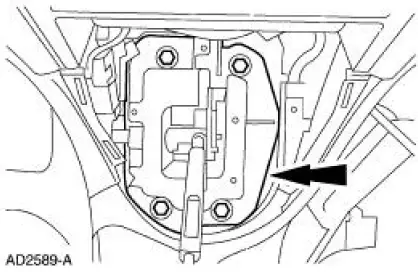
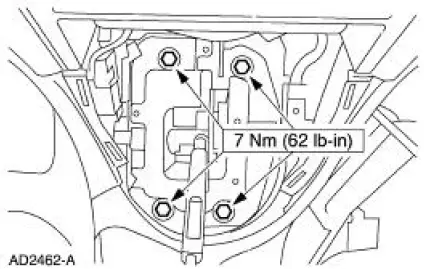
10. Remove the shifter.
Installation
1. NOTE: It is necessary to install a new plastic clip prior to installation.
To install, reverse the removal procedure.
 Cable and Bracket
Removal
1. Raise the vehicle on a hoist. For additional information, refer to
Section.
2. Remove the cable shift from the shifter lever and bracket and discard
the clip.
3. Remove the bol ...
 Transmission Control Switch
Removal
1. Remove the shifter top control panel.
2. Disconnect the electrical connectors.
3. Remove the shifter bezel.
4. Remove the bulb from the bezel.
5. Disconnect the TCS connector.
6 ...
Other materials:
Air Cleaner Outlet Pipe - 3.8L
Removal and Installation
1. Remove the air cleaner outlet tube.
1. Loosen the clamps.
2. Disconnect the hose.
3. Remove the tube.
2. To install, reverse the removal procedure.
Air Cleaner Outlet Pipe -4.6L (2V)
Removal and Installation
1. Dis ...
Brake Disc Machining
Special Tool(s)
Gauge, Clutch Housing
308-021 (T75L-4201-A)
Dial Indicator Gauge with
Holding Fixture
100-002 (TOOL-4201-C) or
equivalent
Material
Item
Specification
Metal Surface Cleaner
F4AZ-19A536-RA or equiv ...
Washer Pump
Removal
1. Remove the LF wheel and tire. Refer to Section.
2. Position the front portion of the LF inner splash shield aside.
3. WARNING: Windshield washer solution contains methanol, which is
poisonous.
Observe all cautions and warnings indicate ...
