
Ford Mustang (1999-2004) Service Manual: Crankshaft Runout
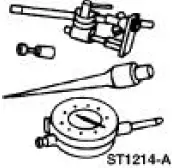
Special Tool(s)
|
|
Dial Indicator Gauge with Holding Fixture 100-002 (TOOL-4201-C) or equivalent |
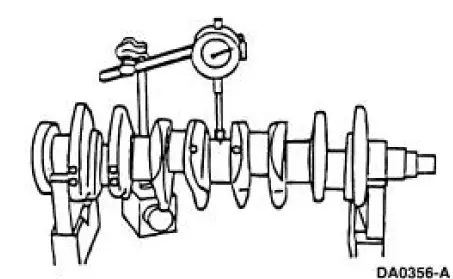
1. NOTE: Crankshaft main bearing journals must be within specifications before checking runout.
Use the Dial Indicator Gauge with Holding Fixture to measure the crankshaft runout.
- Refer to the appropriate section in Group 303 for the procedure.
- Rotate the crankshaft and subtract the lowest dial indicator reading from the highest dial indicator reading to figure the crankshaft runout. If it is out of specification, install new components as necessary. Refer to the appropriate section in Group 303 for the procedure.
 Crankshaft End Play
Special Tool(s)
Dial Indicator Gauge with
Holding Fixture
100-002 (TOOL-4201-C) or
equivalent
1. Measure the crankshaft end play. Use a Dial Indicator Gauge with Holding
Fixture t ...
 Crankshaft - Connecting Rod Journal Taper, Out of Round
1. Measure the crankshaft connecting rod journal diameters in two
directions perpendicular to one
another at each end of the connecting rod journal. The difference in the
measurements from
one e ...
Other materials:
Removal
All vehicles
1. Remove the air intake scoop bracket. For additional information, refer to
Section.
2. Remove the RH valve cover. For additional information, refer to Valve Cover
RH in this section.
3. Remove the Hydro-Boost brake booster. For additional in ...
Motor - Windshield Wiper
Removal
CAUTION: The internal permanent magnets used in the windshield
wiper motor are made
of a glass-like material. To avoid damaging the magnets, do not strike
the motor with a hammer
or any other object.
NOTE: The windshield wiper motor is n ...
Horn (Diagnosis and Testing)
Refer to Wiring Diagrams Cell 44 , Horns/Cigar Lighter for schematic
and connector information.
Special Tool(s)
73 Digital Multimeter or
equivalent
105-R0051
Inspection and Verification
1. Verify the customer concern by operating the h ...
