
Ford Mustang (1999-2004) Service Manual: Key Programming - Enable/Disable Spare Key Programming
Special Tool(s)
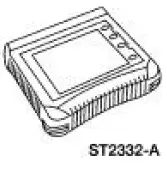 |
Worldwide Diagnostic System (WDS) 418-F224, New Generation STAR (NGS) Tester 418-F052, or equivalent diagnostic tool |
NOTE: The spare key programming switch is a diagnostic tool programmable switch that provides the capability to enable/disable the spare key programming procedure. This procedure is in the Owners Guide spare key programming procedure or in this section under Key Programming-Program a Key Using Two Programmed Keys . This programmable switch is provided as a convenience for rental company fleets or other fleet purchasers who may not want the spare key programming procedure available to the vehicle driver.
NOTE: The spare key programming switch state can be viewed by instrument cluster PID SPARE_KY.
1. Insert a programmed ignition key into the ignition lock cylinder and turn the ignition switch to RUN.
2. Enter diagnostic tool. Follow the SECURITY ACCESS PROCEDURE. For additional information, refer to Security Access-Procedure to obtain security access.
3. NOTE: The default setting on delivery of all new vehicles is <ENABLE>.
From diagnostic tool menu, select SPARE KEY PROGRAMMING SWITCH selection to the desired setting: <ENABLE> Spare key programming procedure is accessible.
<DISABLE> Spare key programming procedure is not accessible.
 Key Programming - Program a Key Using Two
Programmed Keys
Key Programming - Program a Key Using Two
Programmed Keys
Special Tool(s)
Worldwide Diagnostic System
(WDS)
418-F224,
New Generation STAR (NGS)
Tester
418-F052, or equivalent
diagnostic tool
NOTE: This procedure only works if two or ...
 Key Programming - Additional Key With One Programmed
Key
Key Programming - Additional Key With One Programmed
Key
Special Tool(s)
Worldwide Diagnostic System
(WDS)
418-F224,
New Generation STAR (NGS)
Tester
418-F052, or equivalent
diagnostic tool
NOTE: This procedure is used when a custo ...
Other materials:
Manual seats
WARNING: Do not adjust the driver’s seat or seatback while the
vehicle is moving.
WARNING: Rock the seat backwards and forwards after
releasing the lever to make sure that it is fully engaged.
Moving the seats backward and
forward
Recline adjustment
WARNIN ...
Switch - Exterior Rear View Mirror Control
Removal
1. CAUTION: Use a shop towel or similar material between the tool
and the front door
trim panel or damage to the front door trim panel may occur.
Position the window regulator switch plate aside.
1. Pull at service notch.
2. Lift to release ...
Compressor Manifold and Tube Assembly - 3.8L
Material
Item
Specification
PAG Refrigerant Compressor
Oil (R-134a Systems)
F7AZ-19589-DA (Motorcraft YN-
12-C)
WSH-M1C231-
B
Removal and Installation
NOTE: Installation of a new suction accumulator is not required when
repairing the ...
