
Ford Mustang (1999-2004) Service Manual: Pinion Seal
Special Tool(s)
|
|
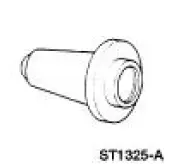
Installer, Drive Pinion Oil Seal 205-133 (T79P-4676-A) |
Removal
1. Remove the pinion flange (4851). For additional information, refer to Drive Pinion Flange in this section.
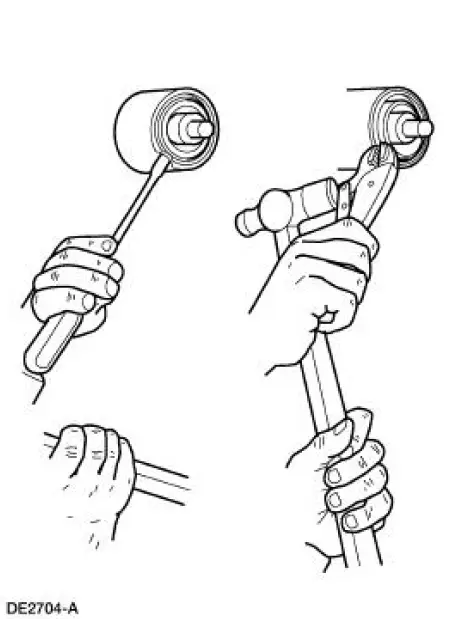
2. Force up the metal flange of the rear axle drive pinion seal (4676).
- Install gripping pliers and strike with a hammer to remove the seal.
Installation
1. Lubricate the new rear axle drive pinion seal.
- Use Premium Long-Life Grease XG-1-C or equivalent meeting Ford specification ESAM1C75- B.
2. CAUTION: Installation without the proper tool can result in early seal failure.
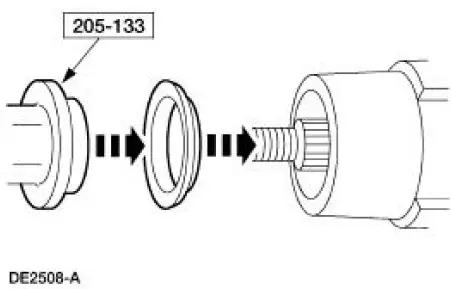
CAUTION: If the rear axle drive pinion seal becomes misaligned during installation, remove it and install a new one.
Using the special tool, install the rear axle drive pinion seal.
3. Install the pinion flange.
 Installation
1. Inspect the rear axle pinion flange seal journal for rust, nicks, and
scratches prior to installing
the flange. Polish the seal journal with fine crocus cloth, if necessary.
2. Lubricate the rear ...
 Axle Housing
Special Tool(s)
Plug Set, Differential
205-294 (T89P-4850-B)
Protector, Differential Seal
(Pair)
205-461
Remover, Halfshaft
205-475
Remover, Steering Arm
2 ...
Other materials:
Inspection and Repair After a Supplemental Restraint
System (SRS) Deployment
WARNING: If the supplemental restraint system (SRS) is being serviced,
the system must
be deactivated and restraint system diagnostic tools must be installed. Refer to
Air Bag
Supplemental Restraint System (SRS) in this section.
The air bag restraint system ...
Warning Indicator Bulb
Removal and Installation
1. Remove the instrument cluster. Refer to Instrument Cluster in this
section.
2. Remove the necessary instrument cluster bulbs by rotating one quarter
turn counterclockwise.
3. To install, reverse the removal procedure.
...
Door - Air Inlet Duct
Removal
1. Remove the evaporator core housing. For additional information, refer to
Section.
2. Disconnect the vacuum line.
3. Remove the screws and remove the duct.
Installation
1. To install, reverse the removal procedure.
...
