
Ford Mustang (1999-2004) Service Manual: Connecting Rod - Bearing Journal Clearance
Special Tool(s)
|
|
Plastigage 303-D031 (D81L-6002-B) or equivalent |
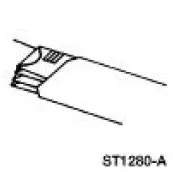
NOTE: The crankshaft connecting rod journals must be within specifications to check the connecting rod bearing journal clearance.
1. Remove the connecting rod bearing cap.
2. Position a piece of Plastigage across the bearing surface.
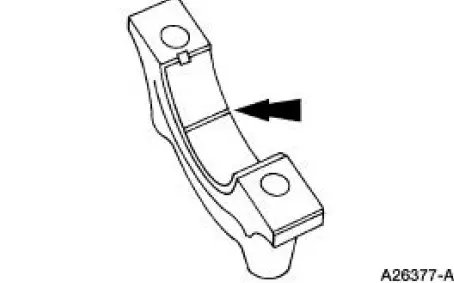
3. NOTE: Do not turn the crankshaft during this step.
Install and tighten to specifications, then remove the connecting rod bearing cap.
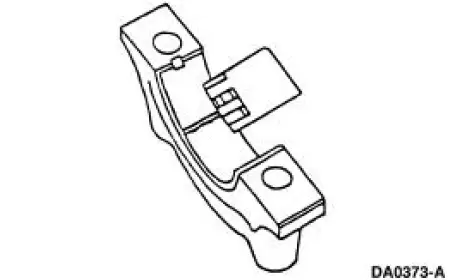
4. Measure the Plastigage to get the connecting rod bearing journal clearance. The Plastigage should be smooth and flat. A changing width indicates a tapered or damaged connecting rod or connecting rod bearing.
- Refer to the appropriate section in Group for the procedure.
- If out of specification, install new components as necessary. Refer to the appropriate section in Group for the procedure.
 Connecting Rod - Twist
1. Measure the connecting rod twist on a suitable alignment fixture.
Follow the instructions of the
fixture manufacturer. Verify the measurement is within specification.
Refer to the appropriat ...
 Connecting Rod - Side Clearance
1. Measure the clearance between the connecting rod and the crankshaft.
Verify the measurement
is within specification.
Refer to the appropriate section in Group for the procedure.
If out of ...
Other materials:
Clutch Pedal Position (CPP) Switch
Removal
1. Disconnect the battery ground cable. For additional information,
refer to Section.
2. Disconnect the connector.
3. Remove the bolt and the clutch pedal position (CPP) switch.
Installation
1. To install, reverse the removal procedure. ...
Engine (Installation)
Special Tool(s)
Spreader Bar
303-D089 (D93P-6001-A3)
Support Bracket, Engine
303-639
Lifting Bracket, Engine
303-D087 (D93P-6001-A1)
Lifting Bracket, Engine
303-D088 (D93P-6001-A2)
Lifting Brac ...
Battery Disconnect
WARNING: Batteries normally produce explosive gases which can
cause personal injury.
Therefore, do not allow flames, sparks or lighted substances to come
near the battery, always
shield your face and protect your eyes. Always provide ventilation.
...
