
Ford Mustang (1999-2004) Service Manual: Removal
1. Remove the roller followers. For additional information, refer to Roller Followers in this section.
2. Remove the LH timing chain for the LH side and both timing chains for the RH side. For additional information, refer to Timing Drive Components in this section.
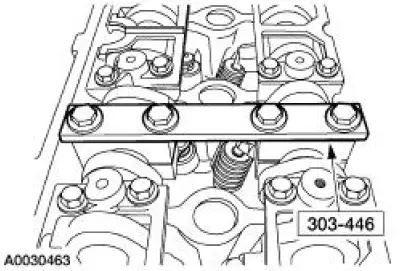
3. Install the special tool.
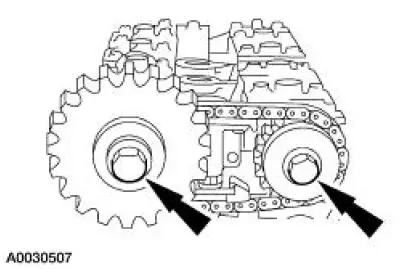
4. Remove the exhaust camshaft sprocket and the intake camshaft bolt, washer and spacer.
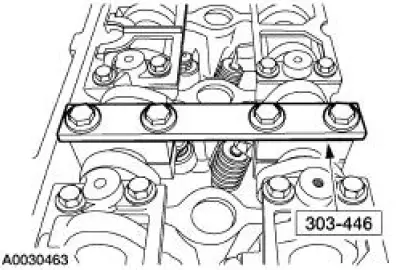
5. Remove the special tool.
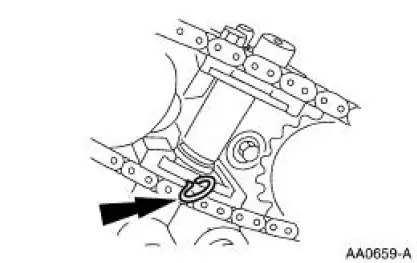
6. Compress the tensioner and install a lock pin.
7. Remove the timing chain, the sprocket, and intake camshaft sprocket spacer.
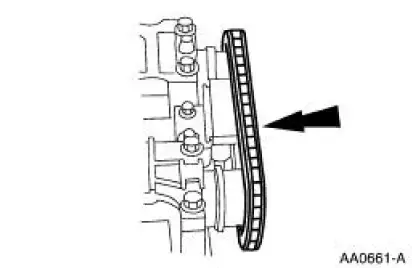
8. NOTE: LH shown; RH similar.
Remove the bolts.
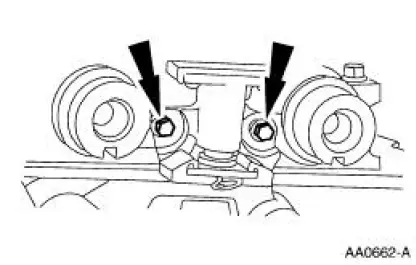
9. CAUTION: The outer bolts on the outer cam bearing cap (exhaust) are longer and must be returned to the same location or engine damage may occur.
NOTE: Identify the camshaft to cylinder head location. Caps are not interchangeable.
Remove the bolts and the camshaft bearing cap assemblies.
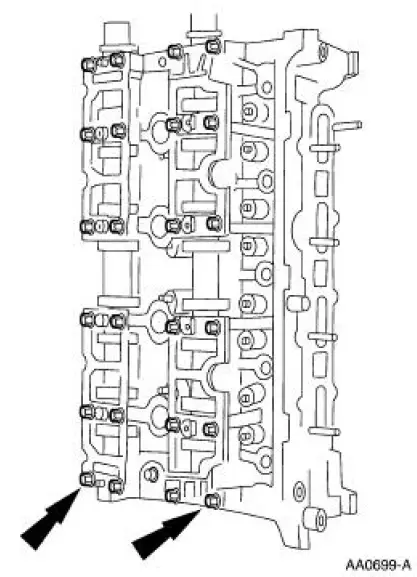
10. Remove the camshafts.
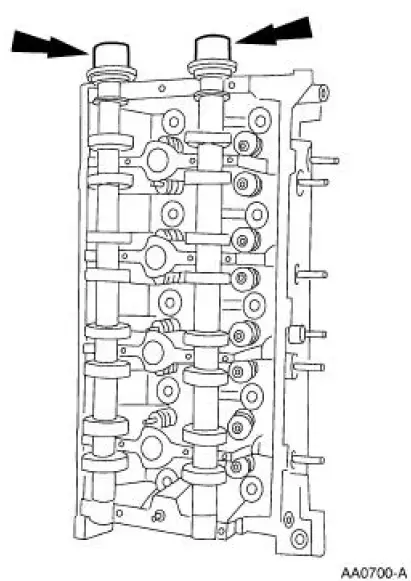
 Camshaft
Special Tool(s)
Holding Tool, Camshaft
303-446 (T93P-6256-AHR)
Material
Item
Specification
Super Premium SAE 5W-20
Engine Oil
XO-5W20-QSP or equivalent
WSS-M2C153-
...
 Installation
1. NOTE: LH shown; RH similar.
Install the camshafts.
Lubricate the camshafts with clean engine oil.
2. Install the camshaft bearing cap assemblies and tighten the bolts in the
sequence shown.
...
Other materials:
Shock Absorber
Removal
WARNING: All vehicles are equipped with gas pressurized shock absorbers
which will
extend unassisted. Do not apply heat or flame to the shock absorbers during
removal or
component servicing. Failure to follow these instructions can result in personal ...
Installation
WARNING: To reduce the risk of serious personal injury, read
and follow all warnings,
cautions and notes at the beginning of the removal procedure.
1. Install the passenger air bag module.
1. Position the passenger air bag module into the instrume ...
General information
Radio Frequencies and Reception Factors
AM and FM frequencies are established by the Federal Communications
Commission (FCC) and the Canadian Radio and Telecommunications
Commission (CRTC). Those frequencies are:
AM: 530, 540–1700, 1710 kHz
FM: 87.9–107.7, ...
