
Ford Mustang (1999-2004) Service Manual: Stabilizer Bar
Removal
CAUTION: Suspension fasteners are critical parts because they affect performance of vital components and systems and their failure can result in major service expense. A new part with the same part number must be installed if installation becomes necessary. If substitution is necessary, the part must be of the same finish and property class. Torque values must be used as specified during reassembly to make sure of correct retention of these parts.
1. Raise the vehicle.
2. Disconnect the anti-lock brake sensor wires from the brackets.
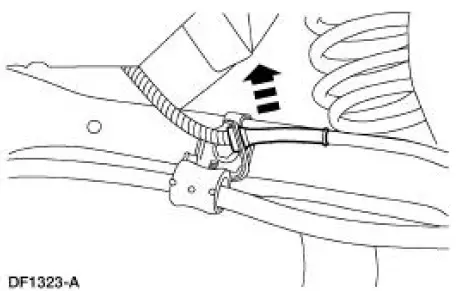
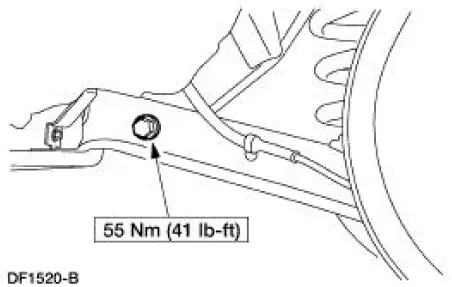
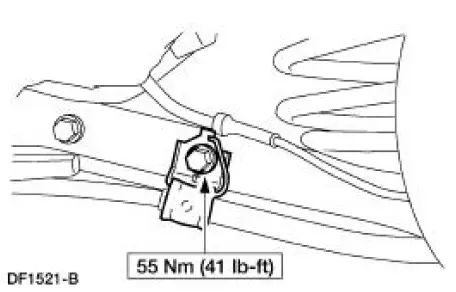
3. Remove the parking brake cable brackets.
1. Remove and discard the bolts.
2. Remove the parking brake cable brackets.
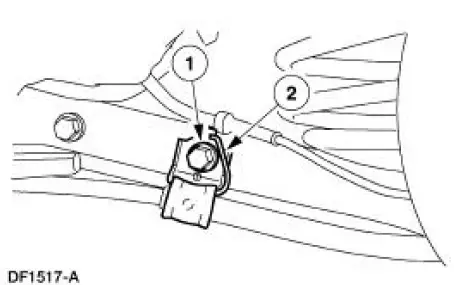
4. Remove the bolts and the stabilizer bar (5A772). Discard the bolts.
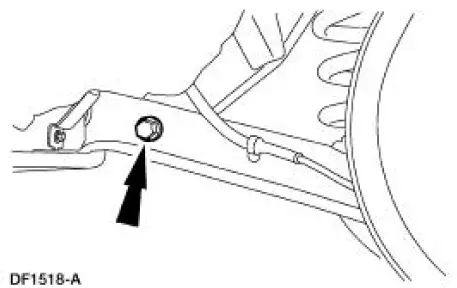
5. Remove and discard the nuts from the stabilizer bar.
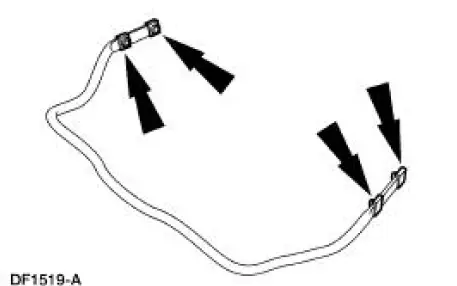
Installation
NOTE: Make sure the rear stabilizer bar is not installed upside down. A color code is provided on the right (passenger) side only as an aid for correct positioning.
NOTE: Use new fasteners when installing the stabilizer bar.
1. To install, reverse the removal procedure.
 Lower Arm
Removal
CAUTION: Suspension fasteners are critical parts because they affect
performance of vital
components and systems and their failure can result in major service expense. A
new part with
the sa ...
 Stabilizer Bar - Cobra
Removal
CAUTION: Suspension fasteners are critical parts because they affect
performance of vital
components and systems and their failure can result in major service expense. A
new part with
the sa ...
Other materials:
Air Conditioning (A/C) Compressor - 4.6L
Material
Item
Specification
PAG Refrigerant Compressor
Oil (R-134a Systems)
F7AZ-19589-DA (Motorcraft YN-
12-C)
WSH-M1C231-
B
Removal and Installation
CAUTION: If installing a new air conditioning compressor due to an
internal failur ...
Transmission (Assembly)
Special Tool(s)
Dial Indicator with Bracketry
100-002 (TOOL-4201-C) or
Equivalent
Gauge, Clutch Housing
308-021 (T75L-4201-A)
Extension Housing Seal
Replacer
308-227 (T94P-7657-A)
Holding Fixture
307-0 ...
Warning lamps and indicators
These indicators can alert you to a vehicle condition that may become
serious enough to cause expensive repairs. Many lights will illuminate
when you start your vehicle to make sure they work. If any light remains
on after starting the vehicle, refer to the re ...
