
Ford Mustang (2005-2014) Owners Manual: SYNC®
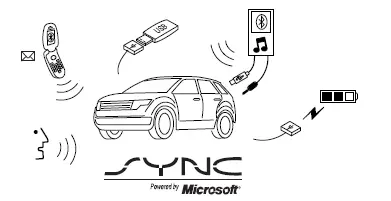
SYNC is an in-vehicle communications system that works with your Bluetooth-enabled cellular phone and portable media player. This allows you to:
• Make and receive calls.
• Access and play music from your portable music player.
• Use 911 Assist, Vehicle Health Report and SYNC Services (Traffic,
Directions & Information) (if equipped).
• Use applications, such as Pandora and Stitcher, via SYNC AppLink™
(if applicable).
• Access phonebook contacts and music via voice commands.
• Stream music from your connected phone.
• Text message.
• Use the advanced voice recognition system.
• USB device charging (if your device supports this).
- General information
- Using voice recognition
- Using sync with your phone
- Sync applications and services (if equipped)
- 911 Assistâ„¢
- Using sync with your media player
- Troubleshooting
 USB port
WARNING: Driving while distracted can result in loss of vehicle
control, crash and injury. We strongly recommend that you use
extreme caution when using any device that may take your focus off
the roa ...
 General information
Make sure you review your device’s manual before using it with SYNC.
Support
The SYNC support team is available to help you with any questions you
cannot answer on your own.
Monday-Saturday, 8:30a ...
Other materials:
Module
Removal
1. Remove the hydraulic control unit (HCU). Refer to Hydraulic Control Unit .
2. Remove the pump motor electrical connector.
3. Remove the anti-lock-brake control module screws.
4. Remove the anti-lock-brake control module from the HCU.
Installation
...
Disassembly
NOTE: The steering gear is serviceable as either a long or short rack
assembly. This procedure covers
the removal and installation of the components not supplied with a short rack
assembly. On short rack
assembly only the front wheel spindle tie-rods and fro ...
Engine Cooling (Description and Operation)
CAUTION: Vehicle cooling systems are filled with Motorcraft Premium
Gold Engine
Coolant VC-7-A (in Oregon VC-7-B) or equivalent meeting Ford specification
WSS-M97B51-A1
(yellow color). Always fill the cooling system with the same coolant that is
present in ...
