
Ford Mustang (1999-2004) Service Manual: Fuel Tank Draining
Special Tool(s)
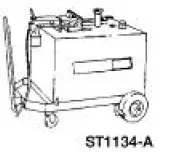 |
Fuel Storage Tanker 164-R3202 or equivalent |
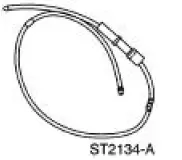 |
Fuel Tank Drain Hose 310-F013 |
WARNING: Do not smoke or carry lighted tobacco or an open flame of any type when working on or near any fuel-related components. Highly flammable mixtures are always present and may be ignited, resulting in possible personal injury.
1. Disconnect the battery ground cable. For additional information, refer to Section.
2. Remove the fuel tank filler cap.
3. Insert the hose guide into the filler neck.
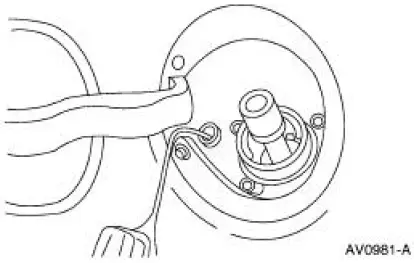
4. NOTE: Insert the hose until the stop contacts the guide tube. If the stop does not contact the guide tube, remove the hose and repeat the procedure.
Insert the chamfered end of the hose into the filler neck through the guide tube.
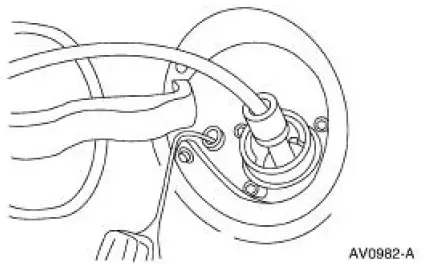
5. Attach the Fuel Storage Tanker to the hose and remove the fuel.
6. Remove the hose and the hose guide.
 Pressure Relief
Special Tool(s)
Fuel Pressure Gauge
310-012 (T80L-9974-B)
WARNING: Do not smoke or carry lighted tobacco or open flame of any
type when
working on or near any fuel-related components. ...
 Spring Lock Couplings
Special Tool(s)
Disconnect Tool, Spring Lock
Coupling (3/8 inch yellow)
310-D004 (D87L-9280-A) or
equivalent
Disconnect Tool, Spring Lock
Coupling (1/2 inch green)
310 ...
Other materials:
Crankshaft Position (CKP) Sensor - 3.8L
Removal
1. Disconnect the battery ground cable. For additional information,
refer to Section.
2. Remove the crankshaft position (CKP) sensor.
Disconnect the connector.
Remove the bolts and the sensor.
Installation
1. To install, reverse ...
USB port
WARNING: Driving while distracted can result in loss of vehicle
control, crash and injury. We strongly recommend that you use
extreme caution when using any device that may take your focus off
the road. Your primary responsibility is the safe operation of your ...
Camber and Caster Adjustment - Front
All vehicles
1. Remove the rivet. Loosen the nuts and bolt.
Vehicles requiring camber adjustment
2. Move the front suspension camber adjusting plate (3B391) to the required
camber setting.
Vehicles requiring caster adjustment
3. NOTE: If caster adjustment ...
