
Ford Mustang (1999-2004) Service Manual: Torque Converter Impeller to Pump Stator Interference Check
1. NOTE: Front pump support may remain in front pump support and gear during this test.
Position the front pump support with the splines up.
2. Mount the torque converter on the front pump support with the splines on the one-way clutch inner race, engaging the mating splines of the front pump support.
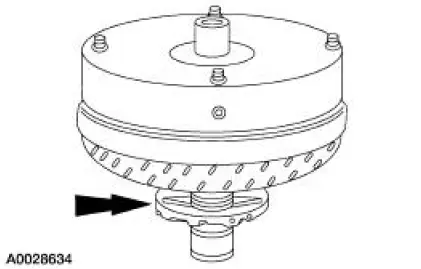
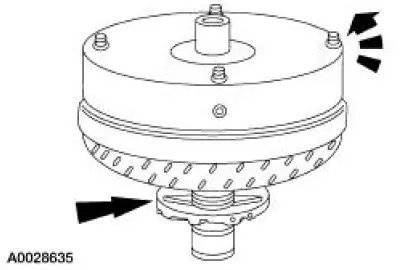
3. Hold the front pump support stationary and rotate the torque converter counterclockwise.
- The torque converter should rotate freely with no signs of scraping.
- If there are signs of scraping, install a new or remanufactured torque converter.
 Torque Converter Leak Check
Special Tool(s)
Leak Tester, Torque Converter
307-421
1. Clean the outside surface of the torque converter.
2. Install the special tool into the converter hub.
3. WARNING: Always fo ...
 Torque Converter End Play Check
Special Tool(s)
Dial Indicator Gauge with
Holding Fixture
100-002 (TOOL-4201-C) or
equivalent
End Play Gauge, Torque
Converter
307-071 (T80L-7902-A) or
equivalent
...
Other materials:
Output Shaft and Direct Clutch Cylinder
Special Tool(s)
Compressor, Clutch Spring
307-015 (T65L-77515-A)
Protector, Piston Seal
307-080 (T80L-77234-A)
Protector, Transmission Direct
Clutch Outer Fluid Seal
307-422
Material
Item
Specification
...
Acceleration Control (Description and Operation)
Component Locations
The throttle is controlled by the accelerator cable which is connected to the
accelerator pedal and
shaft.
The accelerator pedal and shaft should travel smoothly from the idle to
the wide-open throttle
(WOT) positions. Hesi ...
Disassembly
Initial disassembly
1. Remove the differential housing cover (4033) and drain the lubricant into
a suitable container.
2. Wipe the lubricant from the internal working parts and inspect the parts for
wear and damage.
3. Using the special tool, measure and n ...
